ASUS ROG 720Hz OLED Face-Off: Which Ultra-Fast Gaming Display Wins?
ASUS has established itself as an engineering leader in competitive display technology through its Republic of Gamers line, routinely pushing the limits of pixel responsiveness, color precision, and maximum refresh speeds. From introducing groundbreaking refresh rates to developing custom cooling structures and intelligent panel preservation systems, the brand concentrates on eliminating input lag and visual…
Prices and specifications come from the Amazon listing. Scores are out of 10, based on listed specifications and buyer feedback — this site does not test products.
Awards Worked out automatically from the Amazon listings of the 3 products in this guide.
-
Highest rated

ROG Strix XG27AQDMES Gaming Monitor for Balanced Daily Play
Our score: 9.2/10 — the highest of the 3 scored in this guide
As Amazon Associates, we earn from qualifying purchases. This means we may receive a small commission at no extra cost to you if you click through and make a purchase.
ASUS has established itself as an engineering leader in competitive display technology through its Republic of Gamers line, routinely pushing the limits of pixel responsiveness, color precision, and maximum refresh speeds. From introducing groundbreaking refresh rates to developing custom cooling structures and intelligent panel preservation systems, the brand concentrates on eliminating input lag and visual distortion for discerning players. Gamers seeking an uncompromising competitive advantage frequently turn to asus rog gaming monitors to optimize their visual clarity and responsiveness across fast-moving PC titles.
The current lineup highlights a clear progression in speed and display tech, ranging from an everyday 240Hz QD-OLED to a native 500Hz speedster and an anniversary-edition Tandem OLED display capable of toggling between 540Hz and a staggering 720Hz. Each monitor serves a distinct tier of competitive player depending on whether your priority is native 1440p image density, uncompromised frame rates for tournament play, or balanced day-to-day visual performance.
ASUS Gaming Monitors Compared
| Model | Panel Technology | Refresh Rate and Modes | Screen Finish | Response Time |
|---|---|---|---|---|
| ASUS ROG PG27AQWP-G 27 Inch 20th | Tandem WOLED | Dual-Mode: QHD 540Hz or HD 720Hz | Glossy | 0.02ms |
| ASUS ROG Strix XG27AQDPG 27 Inch | QD-OLED | Native QHD 500Hz | Glossy | 0.03ms |
| ROG Strix XG27AQDMES Gaming Monitor | QD-OLED | Native QHD 240Hz | Matte | 0.03ms |
Pick 01
ASUS ROG PG27AQWP-G 27 Inch 20th for Competitive Esports
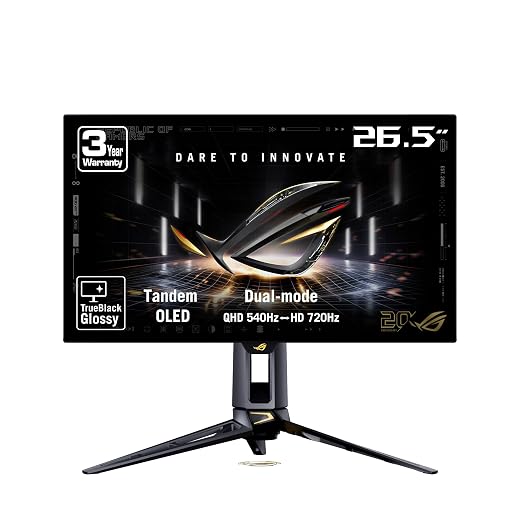
Best for: Esports pros needing maximum competitive refresh rates
- Our score
- 8.0 out of 10
- Brand
- ASUS
Pros
- Dual-mode 540Hz and 720Hz
- Tandem OLED panel
- DP 2.1 UHBR20 80Gbps
- 02ms response time
Cons
- 1080p resolution at 720Hz
- Lower listed 240 nits brightness
The ASUS ROG PG27AQWP-G 27 Inch 20th stands as a showcase of tournament-grade engineering, crafted to commemorate the 20th anniversary of Republic of Gamers with an authentic 24K gold-plated accent and a translucent black shell that displays the monitor internal hardware. Built around a 26.5-inch visible screen area, this display is designed specifically for tournament competitors and frame-rate purists who want the fastest rog oled monitor available. Featuring an instantaneous 0.02ms gray-to-gray response time, the panel virtually eliminates ghosting, trailing, and visual smearing during violent mouse flicks and high-speed directional changes.
At the center of its performance is an advanced asus rog tandem oled monitor panel combined with a TrueBlack Glossy zero-haze coating. The new Tandem OLED architecture delivers 15% higher peak brightness, 25% larger color volume, and 60% longer OLED lifespan compared to previous-generation WOLED panels. Its headline feature is the dual mode oled gaming monitor architecture, which lets you switch seamlessly between QHD resolution at 540Hz and HD resolution at 720Hz. Weighing the 540hz vs 720hz oled options allows players to choose between razor-sharp 1440p detail and the fluid motion tracking of a 720Hz refresh cycle. Physical specifications include 240 candela_per_square_meter brightness, a 10000:1 contrast ratio, 135 color gamut, 99.5% DCI-P3 coverage, true 10-bit color, and VESA DisplayHDR 500 True Black compliance. Connectivity is future-proofed with DisplayPort 2.1 UHBR20 offering full 80Gbps bandwidth alongside HDMI 2.1 ports. ASUS OLED Care Pro uses a Neo Proximity Sensor to sense when you step away and blanks the display to counter burn-in, while the package supplies a DP80 cable, HDMI Ultra High-Speed cable, USB 3.2 cord, VESA mount kit, ROG pouch, microfiber cloth, and a factory calibration report showing Delta E under 2.
This flagship screen is engineered for top-echelon esports competitors who require the absolute maximum refresh rate possible in tactical shooters like Counter-Strike 2, Valorant, or Apex Legends. It is the definitive choice for enthusiasts operating high-end graphics hardware equipped with DisplayPort 2.1 outputs. For gamers who prefer to stay exclusively at native 1440p resolution across all titles without switching down to 1080p, the ASUS ROG Strix XG27AQDPG 27 Inch offers a dedicated alternative.
Pick 02
ASUS ROG Strix XG27AQDPG 27 Inch for Native 1440p Speed
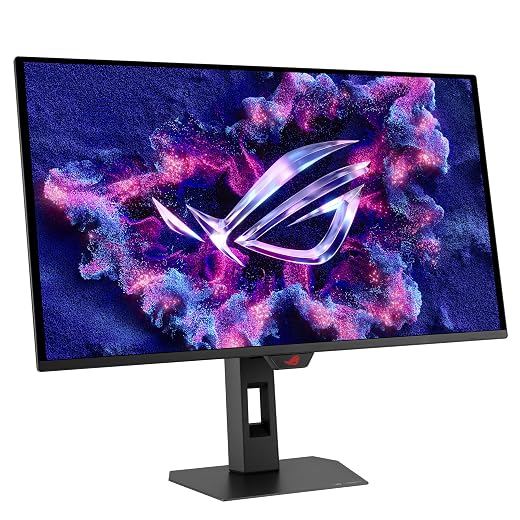
Best for: Competitive gamers wanting native 1440p speed
- Our score
- 8.2 out of 10
- Brand
- ASUS
Pros
- Native 500Hz QHD refresh
- Anti-Flicker OLED 2.0
- 500 nits brightness
- 1000000:1 contrast ratio
Cons
- DisplayPort 2.1 not listed
The ASUS ROG Strix XG27AQDPG 27 Inch provides extreme refresh rates without requiring any resolution compromises, delivering native QHD 2560 x 1440 visual output at a relentless 500Hz refresh rate across its 26.5-inch visible screen area. Housed in an enclosure measuring 6.67 inches deep, 24.03 inches wide, and 19.77 inches high, the unit weighs 6.6 kg and incorporates a custom heatsink designed to shed thermal buildup during long gaming sessions. With its ultra-responsive 0.03ms gray-to-gray response time, fast-moving opponents remain crisp and sharply defined during erratic camera pans.
Equipped with a quantum dot OLED display layer and a glossy screen surface, the asus rog strix xg27aqdpg generates a massive 1000000:1 contrast ratio and reaches 500 nits of brightness. To enhance comfort during competitive play, it integrates Anti-Flicker OLED 2.0 technology, utilizing a luminance compensation algorithm that reduces panel flicker by 20% compared to previous generations. Color reproduction is equally impressive, featuring 99% DCI-P3 coverage, true 10-bit color depth, Delta E under 2 accuracy, and VESA DisplayHDR 500 True Black validation. The monitor is certified for both G-SYNC compatibility and FreeSync, utilizes ROG Gaming A.I. Technology, and includes a uniform brightness mode. System maintenance is managed through the DisplayWidget Center application, which interfaces directly with the ASUS OLED Care Pro suite and its integrated Neo proximity sensor to safeguard the panel against burn-in whenever you step away.
This display is ideal for competitive players who demand native 1440p clarity at 500Hz without switching back to HD resolution. It bridges the gap between tournament responsiveness and rich graphical fidelity in demanding multiplayer games. However, if your graphics card is better suited to moderate refresh targets or if you require an anti-glare matte coating to combat bright ambient lighting, the ROG Strix XG27AQDMES Gaming Monitor represents a more practical fit.
Pick 03
ROG Strix XG27AQDMES Gaming Monitor for Balanced Daily Play
- Highest rated Our score: 9.2/10 — the highest of the 3 scored in this guide

Best for: Enthusiasts balancing fast gameplay and visuals
- Our score
- 9.2 out of 10
- Brand
- ASUS
Pros
- Smooth 240Hz QD-OLED
- Anti-glare matte finish
- 03ms response time
- ROG Gaming A.I. Technology
Cons
- Contrast ratio not listed
- Brightness not listed
The ROG Strix XG27AQDMES Gaming Monitor provides an accessible path to high-end OLED visual fidelity, pairing a 26.5-inch visible QHD 2560 x 1440 panel with a smooth 240Hz refresh rate. Finished with an anti-glare matte screen surface, this 6.8 kg display diffuses overhead ambient light and side reflections, making it well-suited for brighter rooms. Its chassis features a slim physical profile measuring 2.13 inches deep, 24.17 inches wide, and 19.8 inches high, easily adapting to desk mounting arms or the included desktop stand.
Inside, the rog strix xg27aqdmes employs a quantum dot OLED panel backed by a rapid 0.03ms response time that eliminates motion ghosting. The product data does not list specific figures for native contrast ratio or nit brightness, but the monitor is equipped with HDR 10 capability, 99% DCI-P3 color gamut support, true 10-bit color processing, and Delta E under 2 factory calibration. Gamers can adjust visual modes and OLED settings with a mouse via the ASUS DisplayWidget Center utility. The screen includes G-SYNC compatibility, ROG Gaming A.I. Technology for scene-adaptive visual optimizations, and a long-life QD-OLED design that minimizes flicker when frame rates fluctuate. Like its higher-tier siblings, the ASUS OLED Care Pro suite incorporates a Neo Proximity Sensor that blanks the panel when no user is detected. Enthusiasts looking for smooth motion in contemporary titles can consult an asus 240+hz monitor to maintain steady frame pacing without pushing hardware to extreme limits.
This monitor is best suited for PC gamers who want deep OLED contrast, wide color reproduction, and instantaneous pixel response times without requiring the extreme graphics hardware needed for 500Hz or 720Hz operation. It balances competitive multiplayer capability with cinematic presentation in narrative games. When your focus shifts toward tier-one esports where every microsecond provides a measurable edge, stepping up to the 500Hz QD-OLED or dual-mode 720Hz Tandem OLED models offers higher refresh ceilings.
How to Choose the Right ASUS Gaming Monitors
Deciding which asus rog oled to buy requires assessing your primary game genres, target resolutions, and the graphics hardware powering your setup. Refresh rate remains the main dividing factor in this asus rog gaming monitor comparison. If you compete in high-stakes esports titles where frame rate is prioritized above all else, the dual-mode capability on the asus rog pg27aqwp-g allows you to shift between 540Hz at 1440p and 720Hz at 1080p, delivering unmatched motion clarity. Gamers who prefer to remain locked to native 1440p at all times will find the 500Hz fixed output of the XG27AQDPG provides the ideal blend of pixel density and extreme speed, whereas the 240Hz XG27AQDMES delivers substantial fluidity for standard competitive play and AAA campaigns without demanding top-tier GPU hardware.
Panel architecture and screen coatings also play a critical role in daily viewing comfort. The flagship 20th edition model introduces Tandem OLED technology, which stacks emissive layers to yield 15% higher peak brightness, 25% wider color volume, and 60% longer panel life over prior WOLED designs. Both the 500Hz XG27AQDPG and 240Hz XG27AQDMES utilize quantum dot OLED panels delivering 99% DCI-P3 color gamut coverage and true 10-bit depth. If you game in a dim, controlled environment, the glossy finishes on the PG27AQWP-G and XG27AQDPG produce deeper perceived contrast and zero haze. Conversely, if your gaming desk faces direct windows or overhead fixtures, the matte finish on the XG27AQDMES diffuses glare effectively.
Connectivity requirements must also align with your graphics card. The PG27AQWP-G features DisplayPort 2.1 UHBR20 with 80Gbps bandwidth, allowing it to drive massive refresh rates over an uncompressed data stream when connected to compatible modern GPUs. The remaining models rely on standard high-bandwidth video connections alongside HDMI ports, easily handling high refresh rates through modern display stream compression protocols.
Finally, consider long-term panel health and software usability. All three displays feature the ASUS OLED Care Pro system driven by the Neo Proximity Sensor, which automatically turns the screen black when you step away from your desk to mitigate burn-in risks. In addition, each monitor interfaces with the ASUS DisplayWidget Center, allowing you to configure visual settings, brightness profiles, and maintenance tools directly via mouse clicks rather than reaching for physical navigation buttons behind the bezel.
FAQ
What is the benefit of the dual-mode feature on the ASUS ROG PG27AQWP-G?
The dual-mode feature allows the monitor to operate in two distinct resolution and refresh configurations: QHD 2560 x 1440 at 540Hz, or HD 1920 x 1080 at 720Hz. This versatility lets players prioritize maximum pixel sharpness for general gaming and switch directly to 720Hz for maximum motion clarity and input responsiveness during competitive esports tournaments.
How does Tandem OLED technology differ from standard QD-OLED panels?
Tandem OLED incorporates stacked organic light-emitting layers within a WOLED architecture. According to the manufacturer listing, this design delivers 15% higher peak brightness, 25% larger color volume, and 60% longer OLED lifespan compared to previous WOLED panels, while QD-OLED utilizes a blue OLED backlight passed through a quantum dot layer to achieve high color vibrancy.
Why do some ASUS gaming monitors use glossy finishes while others use matte?
Glossy panels, such as the TrueBlack Glossy finish on the PG27AQWP-G and the glossy layer on the XG27AQDPG, provide a zero-haze surface that maximizes perceived contrast and sharpness in light-controlled rooms. A matte finish, as found on the XG27AQDMES, scatters incoming light to prevent distracting reflections in bright rooms with direct ambient lighting.
Does the ASUS ROG Strix XG27AQDPG require DisplayPort 2.1 to achieve 500Hz?
The product listing for the ASUS ROG Strix XG27AQDPG does not specify DisplayPort 2.1 connectivity. The monitor achieves its 500Hz refresh rate at 1440p using high-bandwidth display inputs supported by modern PC graphics cards, whereas DisplayPort 2.1 UHBR20 is explicitly highlighted on the PG27AQWP-G 20th edition model.
How does the Neo Proximity Sensor help prevent OLED burn-in?
The Neo Proximity Sensor detects when a user physically steps away from the monitor. When absence is detected, ASUS OLED Care Pro automatically switches the display to a solid black screen, preventing static desktop elements from lingering on the panel and significantly reducing the risk of burn-in over time.
Where these figures come from
The price, the list price it is compared against and the specifications on this page are read from the Amazon product listing. Scores are out of 10, based on listed specifications and buyer feedback, and no product here has been handled or measured by us. The award ribbons are calculated across the products in this guide only, and each one states the figure it was based on.


